Pix-Cull helps creators quickly review large media folders, choose the best cuts by hand, and turn selected images into stronger storyboards and edits.
Download is free. A license is required to use Pix-Cull.
AI can generate the options. You still choose the story.
Pix-Cull is for the moment when Finder, Preview, and heavy catalog tools slow down the creative decision.
Move your cursor over any photo.
Press Q, W, or E — that's it.
No clicking, no selecting, no interruption.
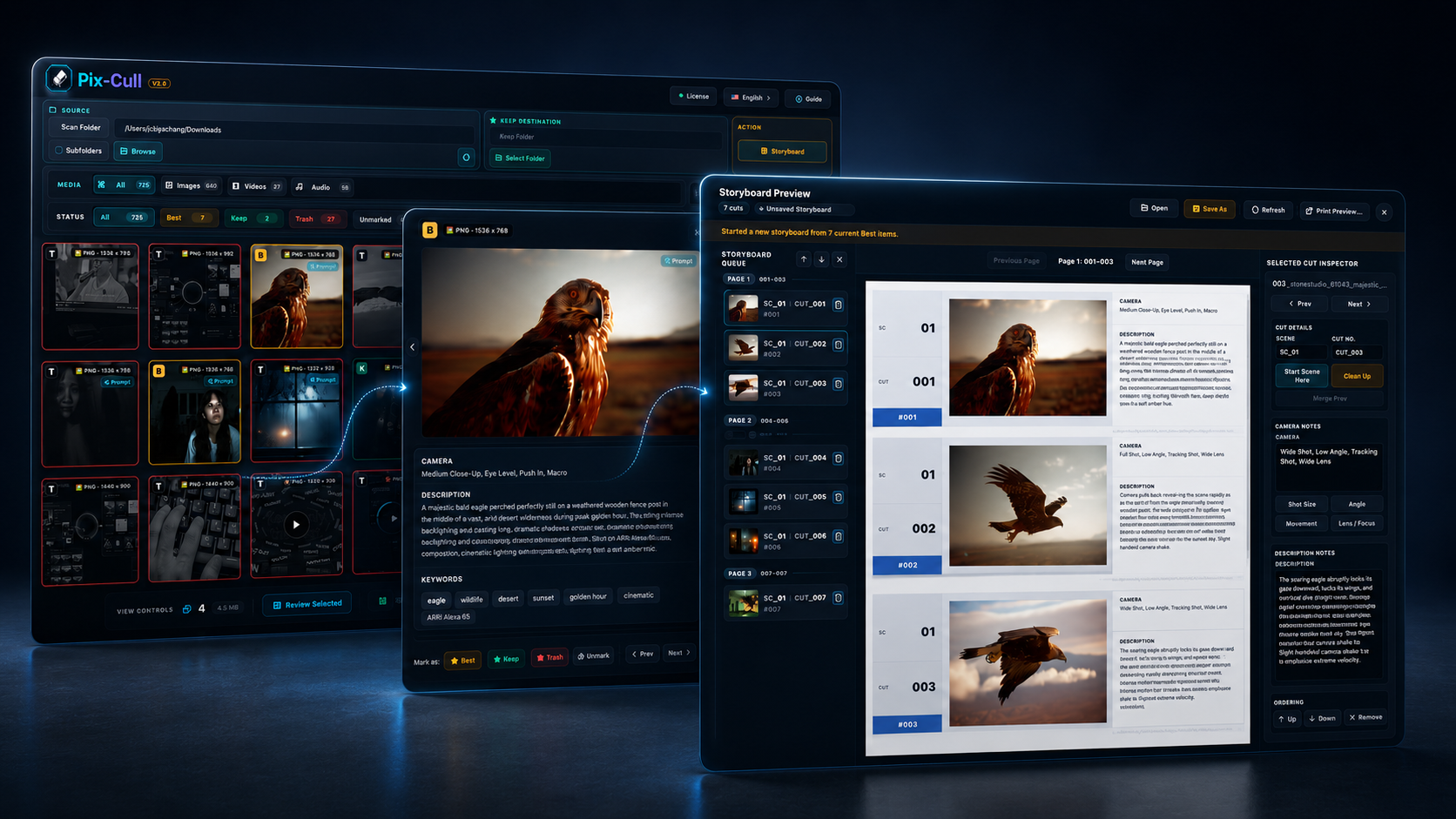
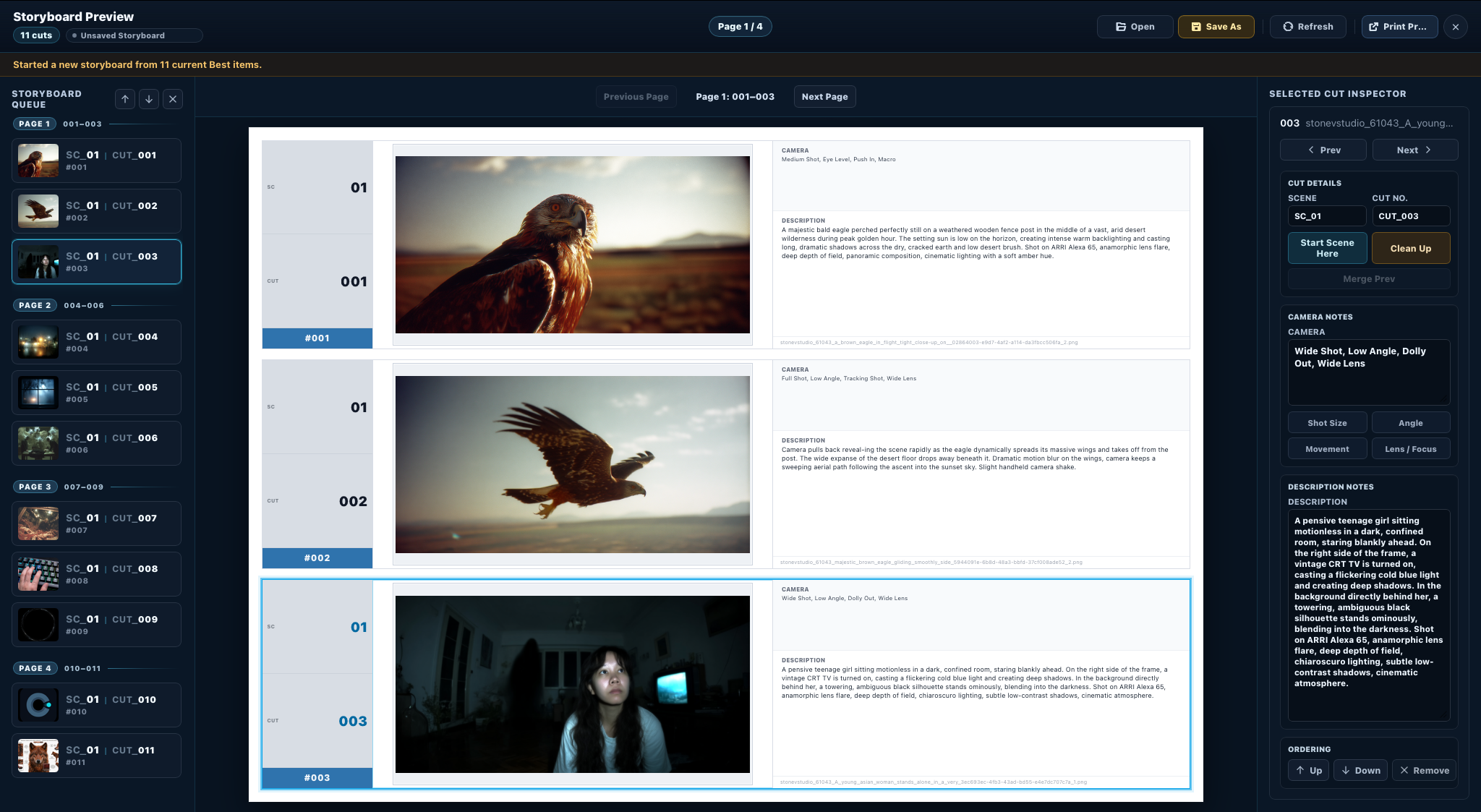
Pix-Cull turns selected shots into a Storyboard Window with queue ordering, cut details, A4 preview, a local .pixstory package, and print-ready pages.
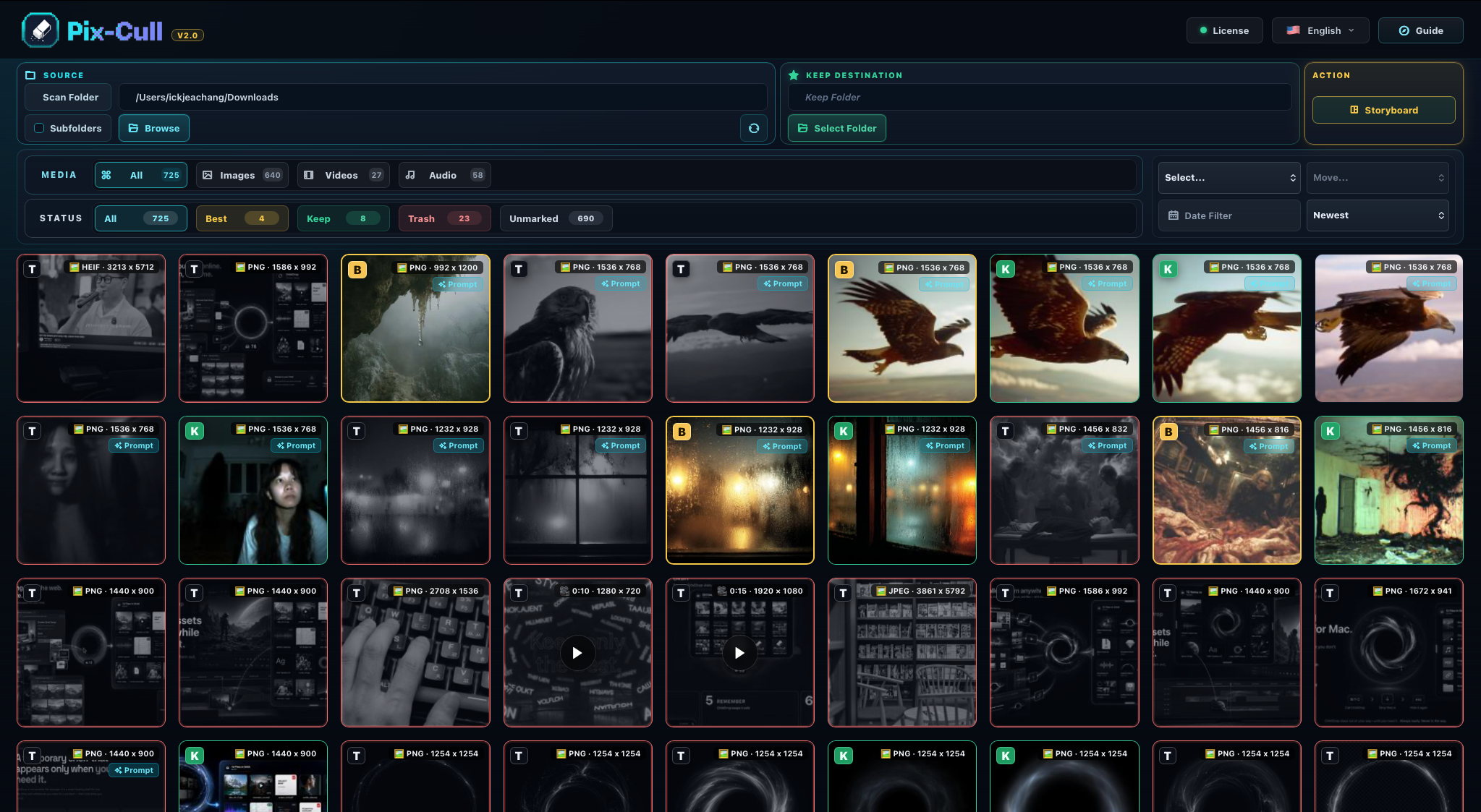
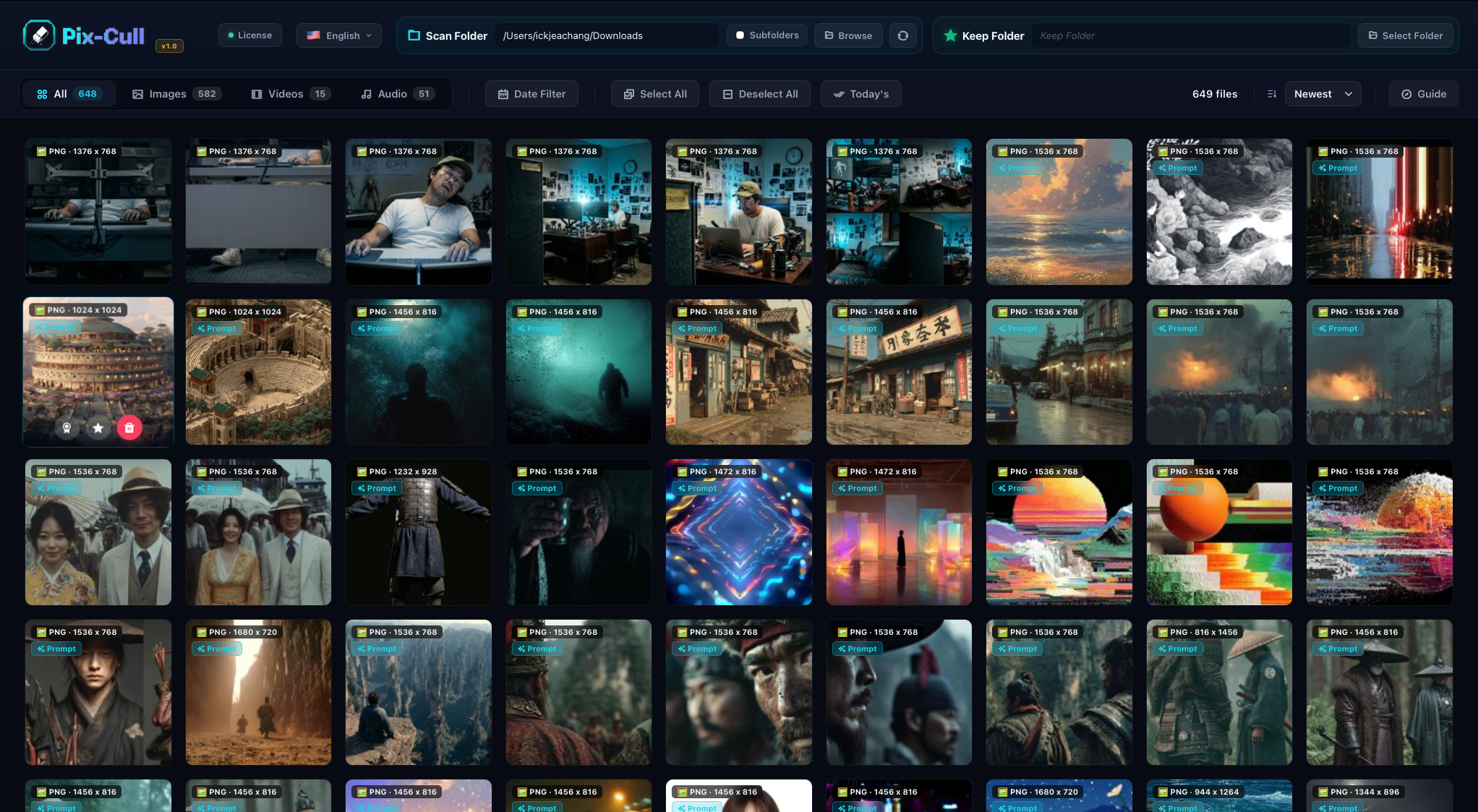
01 — Library
Select any folder on your Mac and review images, video clips, audio, PDFs, and references without building a heavy catalog.
Works with local drives, external SSDs, and network volumes. Just point Pix-Cull at the folder and start choosing.
02 — Keep & Delete
Move files to your chosen destination folder with one click. Send the rest to Trash just as fast.
Set the folder once, then every file you keep goes exactly there.
03 — Best Mark
Mark a file as Best and a star is added directly to its filename. Visible in Finder, in any app, forever — even after you close Pix-Cull.
No proprietary format. No database. The star lives in the name itself.


04 — Storyboard Window
Send selected Library items into a dedicated Storyboard Window. The queue, A4 preview, and inspector stay visible so every cut has context.
Scene and cut fields help turn a fast image selection pass into a production-ready board without leaving Pix-Cull.
05 — Print Preview
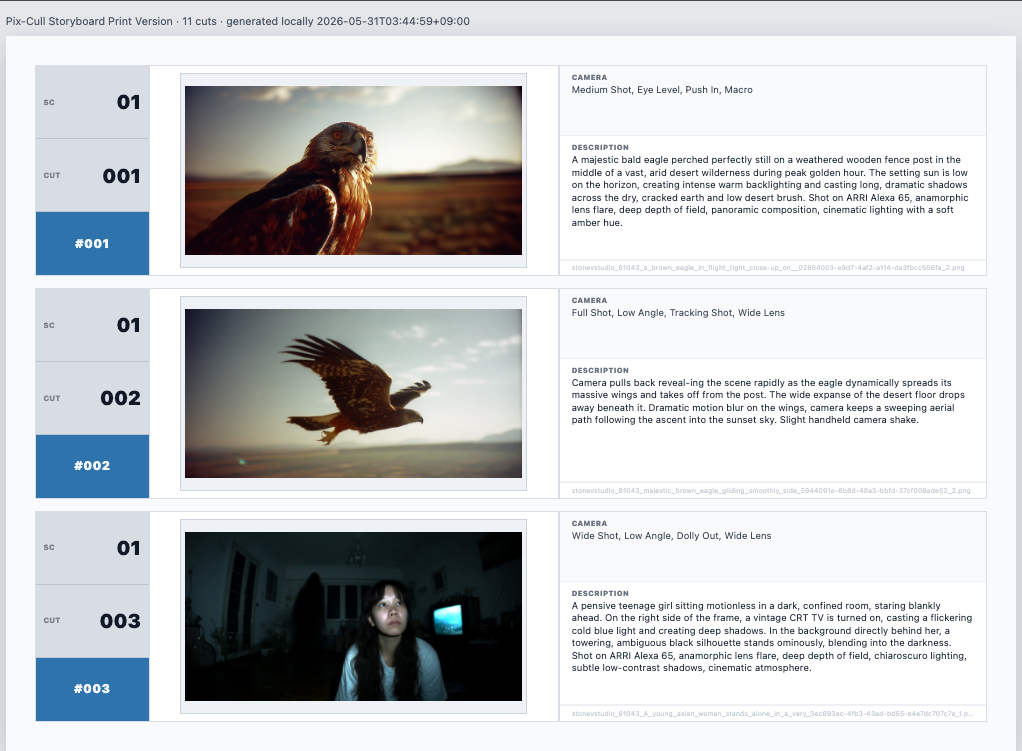
Save a local .pixstory package for the storyboard, then review a clean print-ready layout before output.
The print preview keeps cuts, camera notes, and descriptions organized for handoff or review.
06 — Calendar
Every file is tagged with when it was created. The built-in calendar shows exactly which days you worked and how much.
Tap any date to see only that day's media — nothing else. Great for reviewing a specific shoot or session.


07 — Private
Pix-Cull keeps your media local. During the 7-day refund period, license verification may require internet access, but your files are never uploaded, synced, or shared with anyone.
No account required. No cloud. No server ever sees your images.
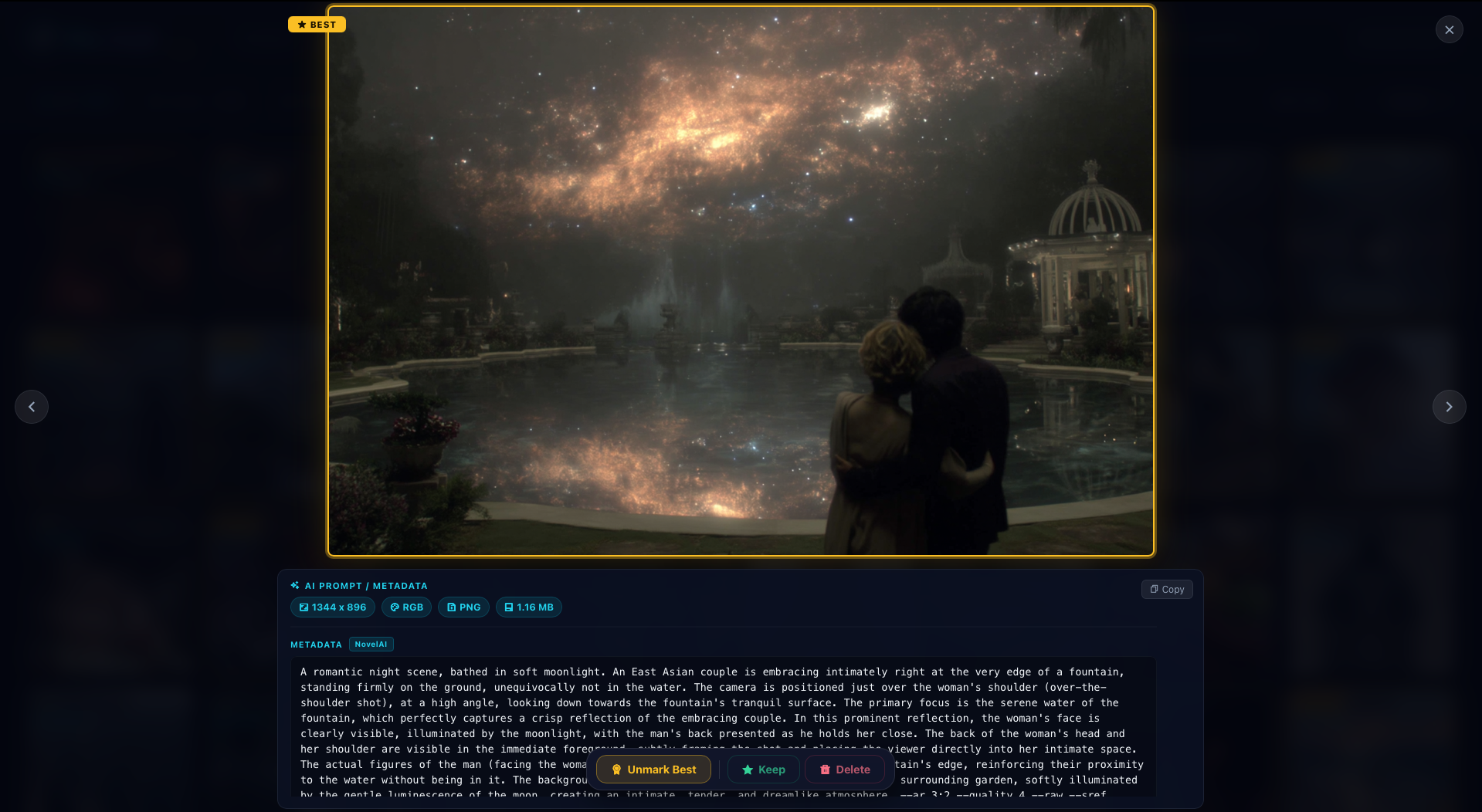
08 — Metadata
Open any AI-generated image and the full metadata and embedded prompt appear in the detail view — no digging, no external tools.
09 — Hotkeys
Three keys. Three actions. Hover your cursor over a file and press — no clicking, no selecting, no interruption.
Press Q to mark a Best Pick, W to keep the file, or E to delete it. Works while browsing, inside Quick Look, or after selecting a group.
No Tracking. No Data.
Pix-Cull keeps your media local. License checks may require internet access during the refund period, but your files never leave your computer.
1 License · 1 Mac
Each license activates on one machine. Moving to a new Mac? Deactivate and reactivate — no questions asked.
7-Day Refund
Not happy? Email us within 7 days for a full refund. No lengthy explanations required — just send a request.
Download is free. A license is required to use Pix-Cull.
Pix-Cull for Mac
Lifetime license · Pix-Cull v1.x
Compatible Macs
Requires macOS 12 Monterey or later
MacBook Air 2015~ · MacBook Pro 2015~ · iMac 2015~ · Mac mini 2014~ · Mac Pro 2013~
Pix-Cull for Windows
Same price · Same features
If Pix-Cull shows an in-app update banner, download the newest installer from pix-cull.com. Your existing v1.x license remains valid after reinstalling over the current app.
I work as a VFX & AI Supervisor — across pre-production and post-production, AI has become a core part of how I create. Concept frames, storyboards, environment references, character studies — the output is relentless. Hundreds of images a day. Sometimes thousands.
At some point, the folder stopped being manageable. No tool did exactly what I needed: open a folder, see everything at once, make fast decisions, and turn the strongest selects into a usable sequence. So I built one. That tool is Pix-Cull.
If you're a photographer, a director, an AI artist, an editor, or anyone who has ever stared at 800 nearly-identical files and thought "there has to be a better way" — you're the reason this exists.
Keep the cuts that matter.
Build the story only you can choose.
This industry is moving faster than any of us expected. AI can generate endless options, but the creator still chooses the story. Pix-Cull helps you move through the flood faster and keep the pieces that matter. $12.75 welcome price, one-time, no subscription.
Legal
Last updated: May 2026
Please read these Terms of Service ("Terms") carefully before purchasing or using Pix-Cull ("Software"). By downloading, installing, or using the Software, you agree to be bound by these Terms.
Subject to your payment of the applicable one-time license fee and compliance with these Terms, you are granted a non-exclusive, non-transferable, limited perpetual license to install and use one (1) copy of the Software on a single Mac running macOS 12 Monterey or later, owned or controlled by you.
Each license key may be active on one device at a time. To transfer to a new Mac, open the License panel and click "Deactivate (transfer to another device)", then activate on your new Mac.
The Software is licensed, not sold. The developer retains all intellectual property rights. "Pix-Cull" and associated logos are trademarks of the developer.
All bug fixes and minor updates within v1.x are free. Future major upgrades may be separate purchases. Support via support@pix-cull.com.
THE SOFTWARE IS PROVIDED "AS IS" WITHOUT WARRANTY OF ANY KIND. THE DEVELOPER DOES NOT WARRANT THAT THE SOFTWARE WILL BE ERROR-FREE OR UNINTERRUPTED.
THE DEVELOPER'S TOTAL LIABILITY SHALL NOT EXCEED THE AMOUNT YOU PAID FOR THE SOFTWARE.
Governed by the laws of the Republic of Korea. Disputes resolved in the courts of Seoul.
Legal
Last updated: May 2026
If you are not satisfied with Pix-Cull for any reason, you may request a full refund within 7 days of your original purchase date.
Email support@pix-cull.com with subject "Refund Request" and your order number. Refunds are processed through Lemon Squeezy within 5–10 business days.
Your license key will be permanently deactivated. You are required to uninstall the Software from all devices.
Legal
Last updated: May 2026
Pix-Cull operates entirely on your local machine. All media processing happens on your device only.
The Software does not upload your media files, collect analytics, require an account, or track your activity in any form.
A request is made to our licensing server (Lemon Squeezy) during initial activation, transmitting only your license key and an anonymous device fingerprint. During the 7-day refund period, Pix-Cull may need to verify your license online. After that period, the app can continue to run offline within its normal license grace policy.
Purchases are processed by Lemon Squeezy. We receive your email address and order details to deliver your license key. We do not store payment card information.
Thumbnail previews are stored locally in ~/.pix-cull_cache/. They never leave your computer.