Open the folder
Review a project folder in place without reorganizing the source media first.
Open a folder, mark media with Q/W/E, and build storyboards from your best picks. Originals stay untouched until Finalize.
Free 7-day trial. Then $10 once.

Open a folder, make decisions with the keyboard, compare visually, and move strong selects into a storyboard only when they need structure.
Review a project folder in place without reorganizing the source media first.
Use Q/W/E and Quick Look to mark Best, Keep, or Trash without breaking your review flow.
Send selected images into a storyboard and arrange them in order.
Nothing moves until you Finalize. Review without fear.
Use Q/W/E to mark many cuts as Best, Keep, or Trash candidates.
No auto-picking. Your eye makes the final call.
Send selected frames to a storyboard and arrange them in the order you need.
Review images, clips, audio, and references together in one local folder.
Embedded prompts are shown when platforms include them, such as Midjourney PNG metadata. If a file has no prompt, the app says so clearly instead of guessing.
Review and media handling happen on your Mac. Source files are not uploaded, synced, analyzed, or shared.
Mark as your strongest pick.
Mark to keep.
Mark for trash review. Nothing moves until you hit Finalize.
Library culling, Quick Look, Best marks, Storyboard, and Print Preview are real app workflows, not marketing-only concepts.
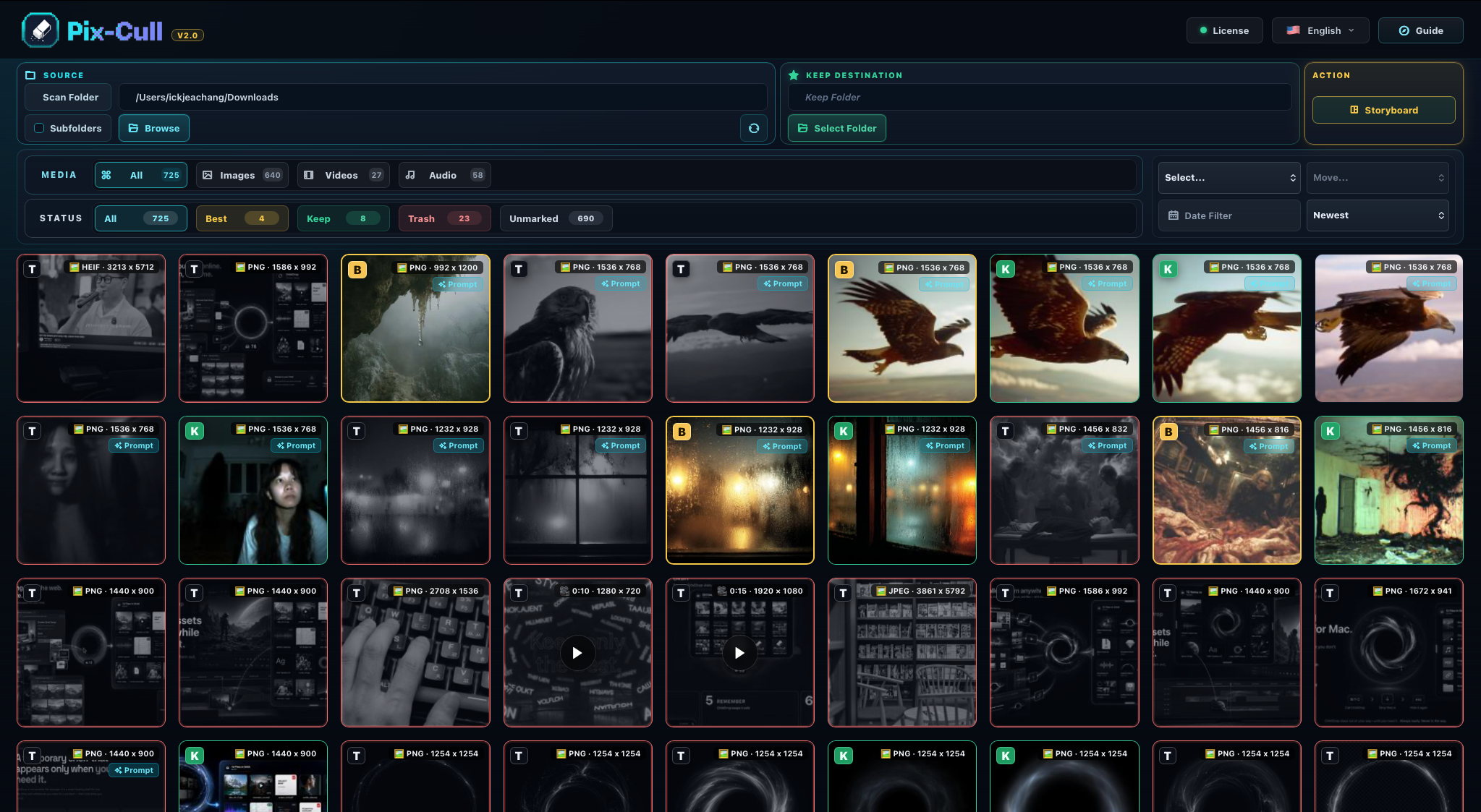
Open large folders and review images, clips, audio, and references in place.
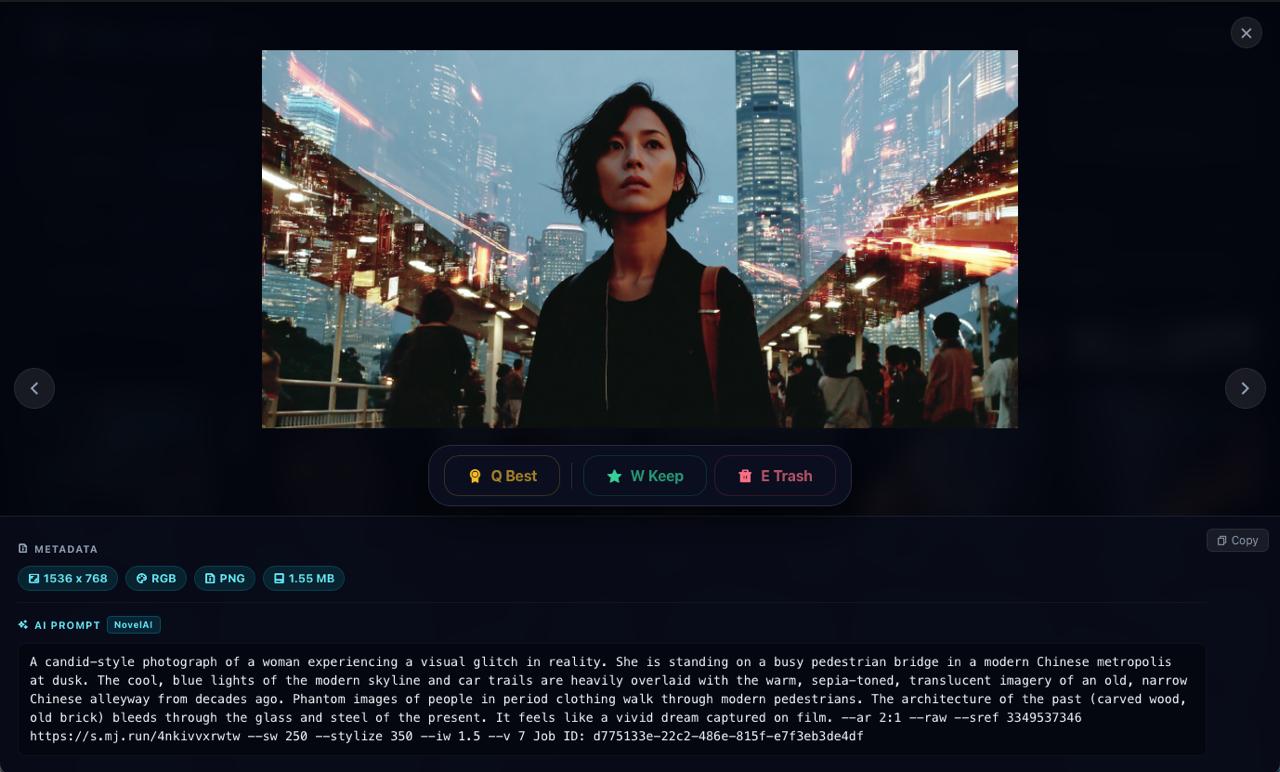
Cull media in the Quick Look viewer or Review Selected viewer.
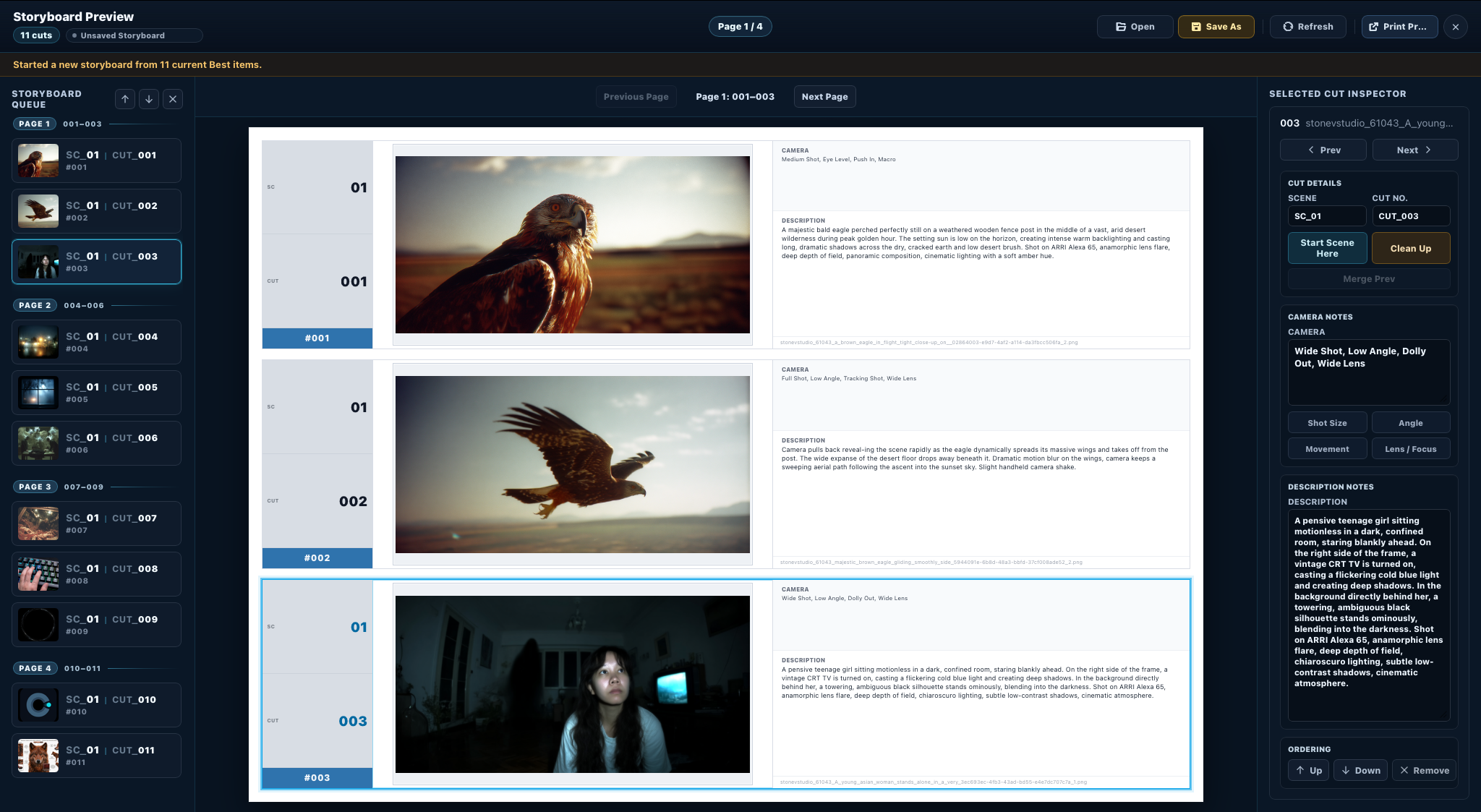
Arrange selected shots in a storyboard view.
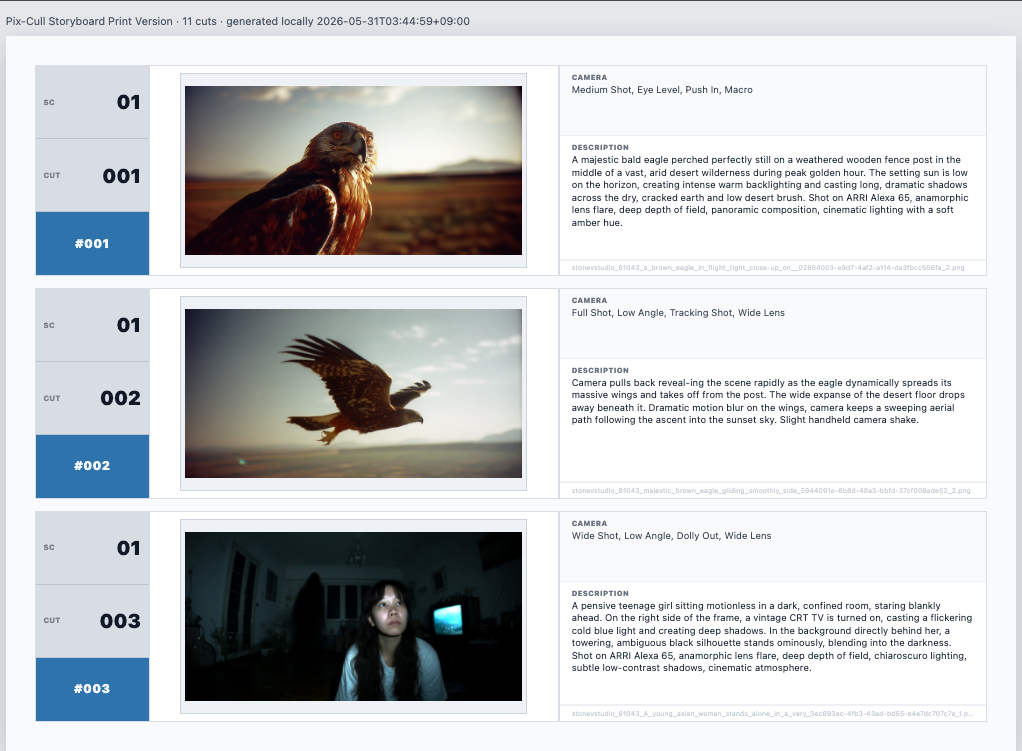
Review the storyboard before output and save it as a PDF.
A macOS tool for local creative media review, with support for common image, video, audio, and reference formats.
Try it for 7 days first. If you want to keep using it, pay once.
One-time purchase after the 7-day trial.
Built for VFX and AI image work where references, concept frames, and clips keep piling up. It does not choose for you. It helps you mark and organize your own decisions with less friction.
No. Version 1.1.3 includes a 7-day trial. Buy a license only if you want to keep using it.
No. Your review media stays on your Mac. License checks do not upload your source files.
After the trial, a license key is required before protected review actions continue. License checks do not upload your source media.
No. It is useful for AI image culling, VFX references, clips, audio, and storyboard prep.
On your Mac. Review media is not sent to a cloud service or analytics pipeline.