01 — Summon01 — 호출
Call it. Hide it.부르고, 숨기세요.
A compact orbit appears when you need a place to hold things for a moment.잠깐 보관할 공간이 필요할 때 작은 오빗이 나타납니다.
Tap ⌘⇧W and OrbitDrop appears. Keep files, links, and references within reach while you work — then tuck it away when you're done.
⌘⇧W 하나면 OrbitDrop이 바로 나타납니다. 작업 중에 파일, 링크, 레퍼런스를 가까이에 두고 — 필요 없을 땐 숨기세요.
Built for Mac. Requires macOS 12.0 or later.
macOS용으로 제작되었습니다. macOS 12.0 이상이 필요합니다.
Why OrbitDrop왜 OrbitDrop인가
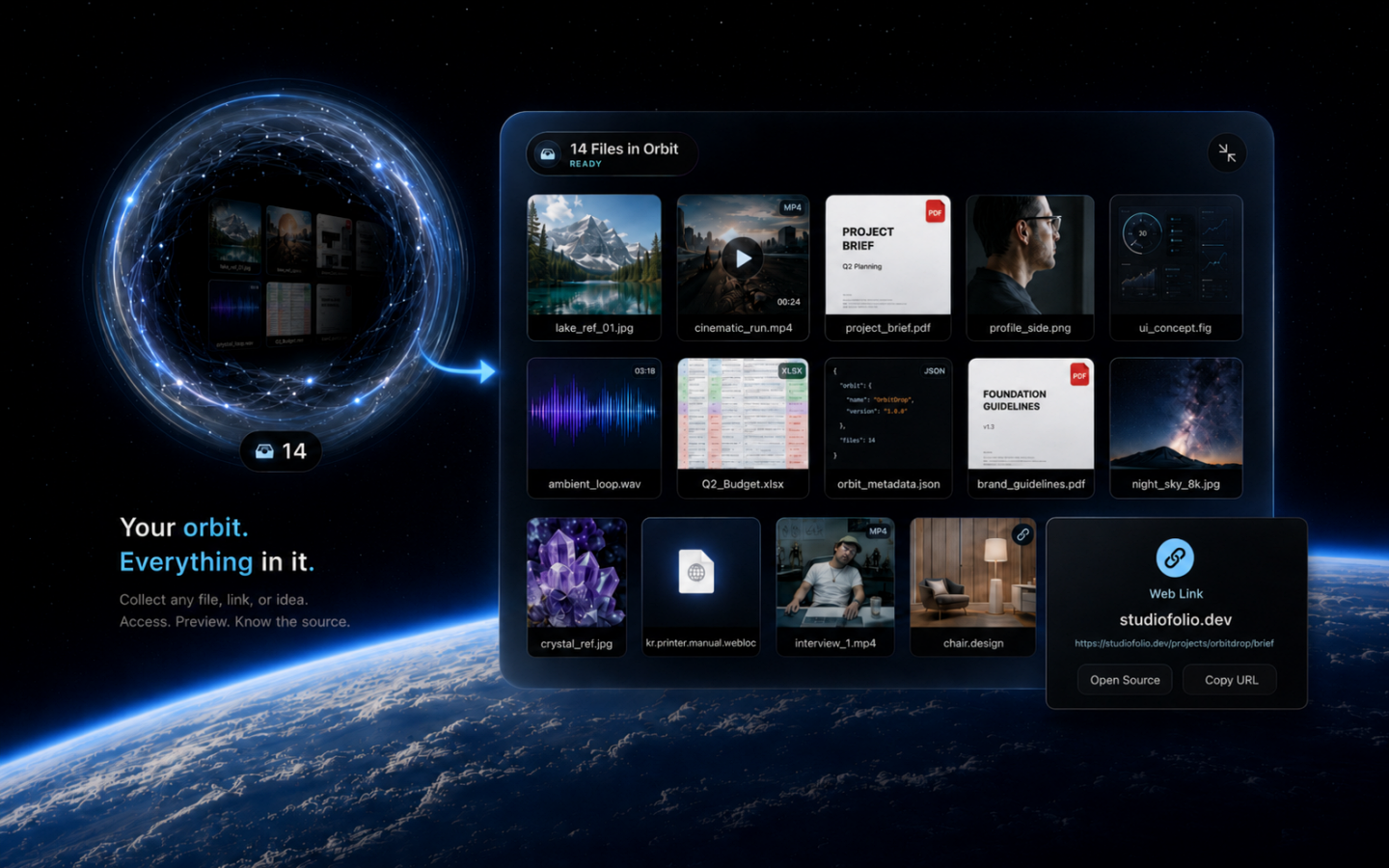
OrbitDrop is not another file manager. It is a small floating shelf for the files, links, and references you need for a moment — then hide when you do not.OrbitDrop은 또 하나의 파일 관리자가 아닙니다. 잠깐 필요한 파일, 링크, 레퍼런스를 가까이에 두고, 필요 없을 때는 숨길 수 있는 작은 플로팅 선반입니다.
01 — Summon01 — 호출
A compact orbit appears when you need a place to hold things for a moment.잠깐 보관할 공간이 필요할 때 작은 오빗이 나타납니다.
02 — Collect02 — 수집
Images, videos, PDFs, audio, links, documents, code files, and quick references.이미지, 영상, PDF, 오디오, 링크, 문서, 코드 파일, 빠른 레퍼런스까지 담을 수 있습니다.
03 — Preview03 — 미리보기
Hover and press Space to check what you saved without breaking your flow.작업 흐름을 끊지 않고 저장한 항목을 빠르게 확인할 수 있습니다.
04 — Source04 — 출처
Web references can keep their source domain and URL when available.웹 레퍼런스는 가능한 경우 원본 도메인과 URL 정보를 함께 보관합니다.
05 — Handoff05 — 이동
Drag items back out to folders or creative apps when the next step is clear.다음 단계가 정해지면 항목을 폴더나 작업 앱으로 다시 드래그해 옮길 수 있습니다.
06 — Local06 — 로컬
No account, no cloud sync, no extra library to manage.계정, 클라우드 동기화, 별도 라이브러리 관리가 필요 없습니다.
OrbitDrop is for the in-between state.OrbitDrop은 작업 중간의 순간을 위한 도구입니다.
A reference you found on the web. A file you just downloaded. A clip you want to compare. A set of assets you need to move somewhere else.웹에서 찾은 레퍼런스, 방금 다운로드한 파일, 비교해보고 싶은 클립, 잠시 옮겨둘 에셋들.
Drop it into orbit, keep working, and decide later. Simple enough to use without thinking. Visual enough to trust at a glance.오빗에 넣어두고 계속 작업하세요. 나중에 필요할 때 다시 확인하고 꺼내면 됩니다. 생각 없이 쓸 만큼 단순하고, 한눈에 믿을 수 있을 만큼 시각적입니다.
Support지원
Support and privacy information for OrbitDrop.OrbitDrop 지원 및 개인정보 보호 안내입니다.
Have a question, found a bug, or want to share feedback? We're here to help.질문이 있거나, 버그를 발견했거나, 피드백을 전하고 싶다면 언제든 알려주세요.
Get support지원 받기OrbitDrop is designed as a local-first utility. No account required.OrbitDrop은 로컬 우선 유틸리티로 설계되었습니다. 계정이 필요 없습니다.
Read privacy policy개인정보 처리방침 보기